Detailed Query Results
Welcome to the Neo4j Console
This is an interactive console for graphs with integrated visualization. Feel free experimenting updating and querying the graph.
Changing the Graph
To interactively build the Graph you can
use Cypher to
create nodes CREATE (neo:Person { name : "Neo" }) and
to create relationships
CREATE (neo)-[:KNOWS {since:"2 days"}]->(morpheus).
Querying
For querying and updating the graph, Cypher is your friend. For example:
MATCH (user:Person {name:"Neo"})-[:KNOWS]->(friend) WHERE friend.age > 20 RETURN user,friend ORDER BY
                friend.age LIMIT 10
MATCH (n:Person) WHERE exists(n.name) CREATE (m:Actor { name : "actor of " + n.name }), (m)-[r:ACTS_AS]->(n) RETURN m,r
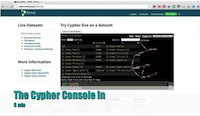
Video: How to use the Console efficiently
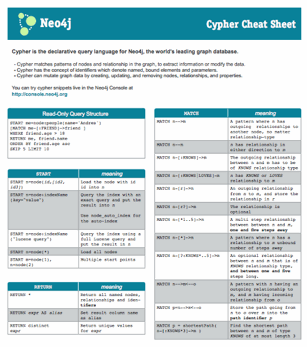
Cypher Reference Card
The console is hosted on Heroku at https://console.neo4j.org the source code is available on GitHub.
Intro Video: How to use the Console efficiently
Initial graph setup (Cypher):
Initial Query (Cypher):
Remove Root Node:
Version:
Adjust the above parameters to fit your intention, then the final URLs to share.
Share as a link (email, web etc).

Paste HTML to embed in website (Adjust width and height):
If you nee a fresh, blank console, click here.